
- Datoteka
-
Grafike
-
-
Vse kategorije -
Category #1 - New Category
-
My designs
-
- Natisni
-
-
Quick help
- ctrl+a
Select all objects
ctrl+d Double the activate object
ctrl+e Clear all objects
ctrl+s Save current stage to my design
ctrl+o Open a file to import design
ctrl+p Print
ctrl++ Zoom out
ctrl+- Zoom in
ctrl+0 Reset zoom
ctrl+z Undo changes
ctrl+shift+z Redo changes
ctrl+shift+s Download current design
delete Delete the activate object
← Move the activate object to left
↑ Move the activate object to top
→ Move the activate object to right
↓ Move the activate object to bottom
shift+← Move the activate object to left 10px
shift+↑ Move the activate object to top 10px
shift+→ Move the activate object to right 10px
shift+↓ Move the activate object to bottom 10px - Custom help content

Copyright © 2017-2022 Lumise Inc.
All Rights Reserved.Powered by Lumise version 2.0
-
- Shop
- Razveljavi
- Ponovi
-

-
 English
-
Slovenian
Jeziki
-
- 0.0
-
Košarica
- Nazaj v trgovino
- Grafike
- Izdelek
- Predloge
- Cliparti
- Slike
- Besedilo
- Oblike
- Sloji
- Risba
Klikni ali odloži sliko
Klikni in povleci, da dodaš besedilo









Riši
Save this color
Namig: premakni kolešček miške za hitro spreminjanje velikosti čopiča
-
Start designing by adding objects from the left side
- All selected objects are grouped | Ungroup?
- Group objects Group the position of selected objects
-
-
Fill options
Save this color
-
- Create QRCode
-
Možnosti
-
Automatically align the position of
the active object with other objects -
ON: Keep all current objects and append the template into
OFF: Clear all objects before installing the template -
Replace the selected image object instead of creating a new one
-
- Zamenjaj sliko
- Crop
-
Maska
-
Select mask layer
-
-
Remove background
-
Remove background
-
Deep:
-
Mode:
-
-
Filters
-
Filters
-
- Original
- B&W
- Satya
- Doris
- Sanna
- Vintage
- Gordon
- Carl
- Shaan
- Tonny
- Peter
- Greg
- Josh
- Karen
- Melissa
- Salomon
- Sophia
- Adrian
- Roxy
- Singe
- Borg
- Ventura
- Andy
- Vivid
- Purple
- Thresh
- Aqua
- Edge wood
- Aladin
- Amber
- Anne
- Doug
- Earl
- Kevin
- Polak
- Stan
-
Brightness:
-
Saturation:
-
Contrast:
-
- Clear Filters
- Click then drag the mouse to start drawing. Ctrl+Z = undo, Ctrl+Shift+Z = redo
- QRCode text
-
Fill options
-
Fill options
Save this color
-
Transparent:
-
Stroke width:
-
Stroke color:
-
- Ungroup position
-
Razporedi sloje
-
Pozicija
-
Object position
Zakleni položaj predmeta:
-
Center vertical
-
Top left
-
Top center
-
Top right
-
Center Horizontal
-
Middle left
-
Middle center
-
Middle right
-
Press ← ↑ → ↓ to move 1 px,
Hit simultaneously SHIFT key to move 10px -
Bottom left
-
Bottom center
-
Bottom right
-
-
Prilagodi
-
Rotate:
-
Skew X:
-
Skew Y:
-
Flip X:
Flip Y:
Free transform by press SHIFT+⤡
-
-
Font family
-
Edit text
-
Edit text
-
-
Font size:
-
Razmik med črkami
-
Višina vrstice
-
-
Text Effects
-
Text Effects
-
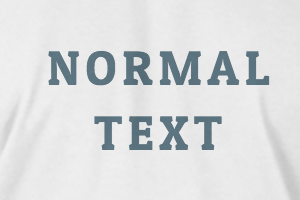

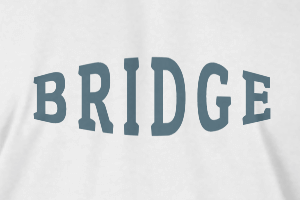
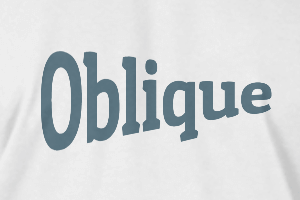
-
Radius
-
Spacing
-
Curve
-
Height
-
Offset
-
Trident
-
-
Text align
- Uppercase / Lowercase
- Font weight bold
- Text style italic
- Text underline
Scroll to zoom